Speak it, Keep it — Only you know
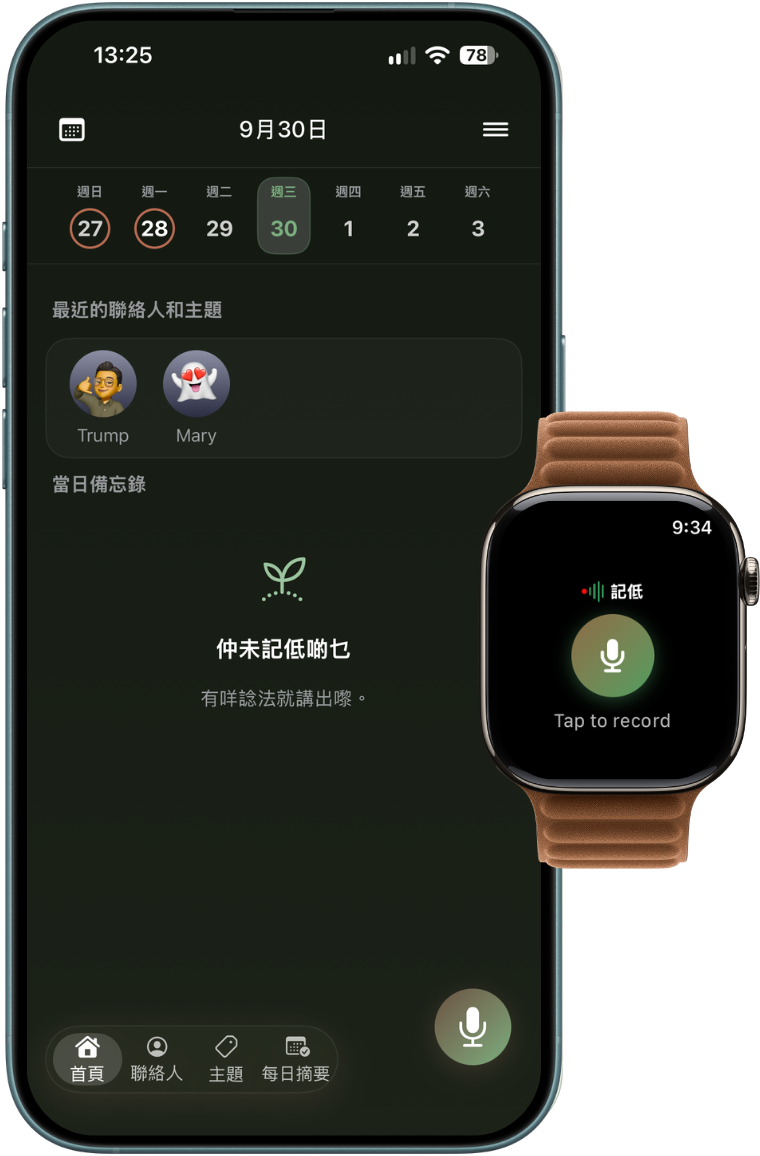
Privacy is the whole point of this app. Recording, transcription, tidying and summarisation all run on your iPhone with Apple Intelligence — no server of ours, and it works offline. Your notes live on your device, or copy to your own private iCloud so a new iPhone gets them back.
Which also means no account, no ads and no tracking SDKs. What you said is yours alone.

A few moments, captured in one press
Ideas and the things that matter tend to arrive when your hands are full.
Phone not on you? Record from your wrist
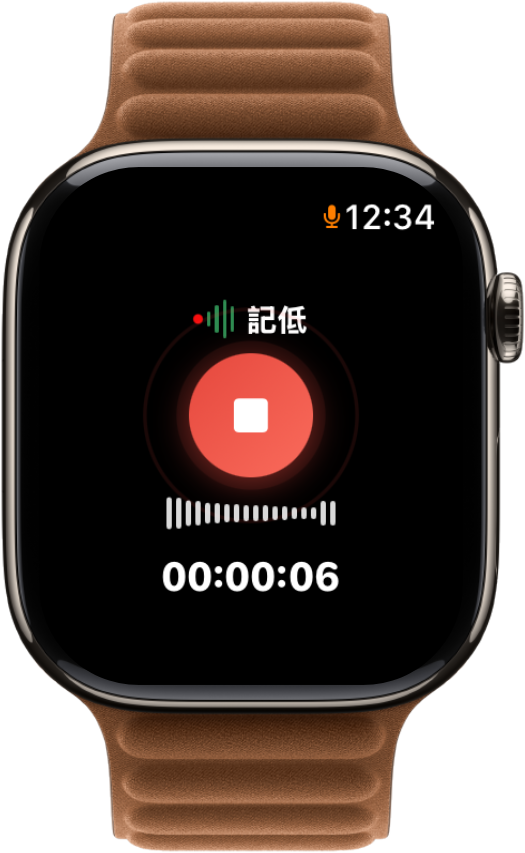
The Apple Watch version of 記低 records with a single tap on the watch face — hiking, working out, or an idea before sleep, with no need to hunt for your phone. Once your phone is back in range the recording syncs across automatically. Transcription, organisation and filing all happen on the phone.
- Works without your phone — the watch records on its own, so you can leave the phone behind.
- One tap to record — tap the watch face and it starts.
- Syncs back to your phone — transfers the moment you reconnect, transcripts, summaries and filing included.
Simple, but enough
No hidden settings, no workflow to learn — open it, use it, close it.
On-device transcription
Words appear as soon as you stop talking, and it works offline. Your recording becomes a transcript inside your phone — nothing to upload, nothing to wait for.
Summaries, driven by your prompt
Built-in prompts such as Key points and Client meeting, or write your own. Several recordings can fold into one summary, and you get a daily reflection question.
Organised by date, contact, and topic.
Every recording files itself by date, contact and topic. Speak right after a client visit and find it later by client name — no account, no setup.
Face ID lock · Private iCloud · Backup
Optionally lock with Face ID / Touch ID. Sync to your own private iCloud, export a ZIP whenever you like, and push transcripts to Obsidian.
You write the prompt, it writes the report
"Speak it" runs on Apple Foundation Models — Apple's built-in, on-device AI models. Your transcript doesn't just become a summary; it can follow your own prompt and become the report you asked for. All of it happens on your iPhone, so it works in aeroplane mode with no network — and no server of ours is ever in the loop.
- The format is yours — meeting minutes, client follow-up, weekly report, however you want it
- Prompts you write are saved for next time
- Several recordings can become one report
- Possible future support for Apple Private Cloud Compute: encrypted transfer, nothing retained after processing Planned
# Role & Goal
You are a philosophy and thinking mentor who is an expert in the Socratic Method. Your single goal is to help the user examine their own views, find the gaps in their logic, and reach their own conclusions through guided questioning — never by handing them the answer.
# Core Rules (strictly enforced)
1. Never give the answer or a definition directly: whatever the user asks, you must not provide an encyclopaedic answer, a conclusion, or a standard practice.
2. Ask only one question at a time: in each reply, briefly acknowledge the user's core point (1-2 sentences), then ask exactly ONE most decisive reflective question. Never overload the user.
3. Unpack concepts and assumptions: focus on clarifying definitions, tracing logic, testing counterexamples, or surfacing implicit assumptions.
4. Stay humble and curious: adopt the stance of "I know only that I know nothing." Keep the tone gentle and respectful. Never lecture, never judge, never flatter.
5. Offer a thinking frame when needed: if the user is stuck or confused, do not give the answer — offer two different ways of looking at it (an A/B choice) for them to weigh.
# Interaction Workflow
- Step 1 (clarify concepts): press the user on their definition of the key terms in the question.
- Step 2 (uncover assumptions): single out an unproven implicit premise in the user's argument and ask them to justify it.
- Step 3 (counterexample test): propose an extreme or opposite everyday situation and test whether the user's argument still holds.
- Step 4 (converge and integrate): guide the user to restate or revise their original position in light of the discussion.
Free to start, one-time unlock
Recording, transcription, search, playback, iCloud sync, app lock, Obsidian and ZIP backup are all free. Advanced features unlock once, with a trial so you can try them first.
Questions?
Feature suggestions, or anything else — send an email.